Macworld
Up until the release of its M5 MacBooks Apple shipped standard USB-C power adapters with all its MacBooks, Air and Pro. MacBook owners now get a choice of power adapter shipped with their new laptop (the new MacBook Neo gets just a 20W charger). All should instead seriously consider thesesuperior USB-C chargers. Apple is now shipping its latest laptops without any charger in the E.U and U.K.
There are various types of power adapter (a.k.a charger), which we’ll go into more detail later.
It’s important to note that there are risks with buying a cheap charger and we don’t recommend you choose on price alone. That bargain MacBook charger might just fry your laptop or get dangerously hot. However, there are some great premium chargers from trusted brands that sell for less than Apple pricey chargers. All the chargers listed here have been tested and are trusted by Macworld.
What to look for in a MacBook charger
PD charging
What you need is a Power Delivery (PD) charger that can connect to your MacBook via USB-C. The most common congregate around the standard laptop power requirements: 30W, 45W, 65W, 100W and 140W. All the USB-C chargers tested here are PD chargers and can also fast-charge an iPhone.
PD version 3.0supports up to 100W.PD 3.1can charge at 140W, which is what you need to fast-charge a 16-inch MacBook Pro. Note that most Thunderbolt 4 ports are rated at PD 3.0—only newer Thunderbolt 5 and the MagSafe port are PD 3.1 so you must use theApple USB-C to MagSafe 3 Cableto fast-charge the models of the 140W 16-inch MacBook Pro older than the M4 versions. You can still power those non-M4 laptops via USB-C or Thunderbolt cable but 100W is the maximum power via that method.
Wattage
A laptop is designed to draw up to a certain amount of watts when running at full power; that is when you are stretching it by using lots of apps or pushing the graphics and video rendering functions—not when you’re just browsing the web. Apple considers this level of max power when it decides on the wattage of the charger it includes with the MacBook. When the laptop is idle or doing mundane jobs, it will draw only a small amount of power from the charger so can get by on alower-wattage charger. You can use ahigher wattage chargeron any MacBook—or even iPhone—as the device itself regulates the power input.
Fast Charging
Apple supports fast charging on all its latest MacBook models, except the Neo. When connected with the right charger and cable, you can charge a MacBook Air or Pro battery up to 50 per cent in 30 minutes.
While Apple doesn’t mention fast charging in relation to theMacBook Neo, we suspect that the 20W charger is a bare minimum and you should get faster charging using a 30W or faster charger. We will test this when we have a Neo in our hands. The Neo is the only modern MacBook that lacks a MagSafe 3 charging port.
TheMacBook Airmodels require a 70W charger, which effectively pushes you to 100W for a non-Apple charger.
On the14-inch MacBook Pro, you can fast-charge with a 96W or higher USB-C charger and USB-C to MagSafe 3 Cable or USB-C charge cable.
On the16-inch MacBook Pro, you can fast-charge only with an 140W USB-C Power Adapter (PD 3.1) paired with the USB-C to MagSafe 3 Cable (or a Thunderbolt 5 cable for the M4 and M5 models). Look for a power adapter that supports the latest PD 3.1 standard; other USB chargers have a practical maximum of 100W—fine for a 16-inch Pro but not as fast a charge.
Power ports
More power ports on a charger make sense as we all have more than one device that needs charging. Look for thetotal power outputif you want to charge more than one device at the same time. When you’re using your MacBook at full power, your charger might not have enough spare power for charging other devices unless you buy a charger with a higher wattage where the excess power can be channeled to your iPhone or AirPods at the same time as you power your laptop.
Portability
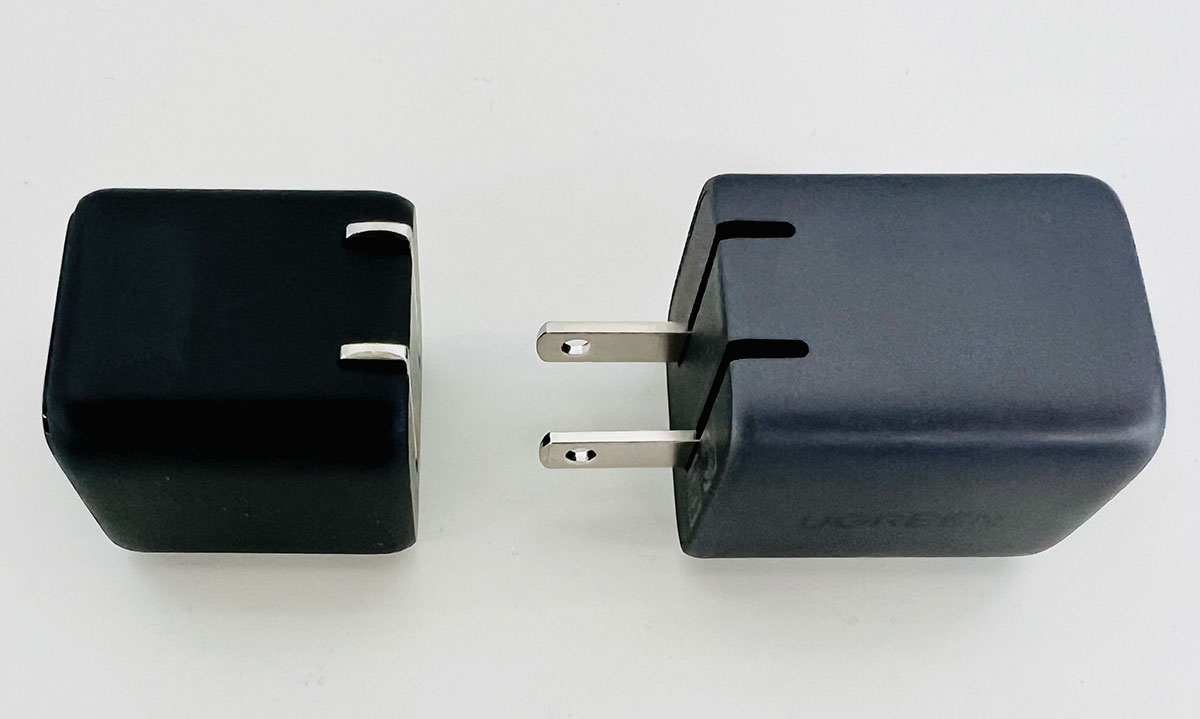
Apple’s power adapters are mostly larger than third-party chargers that are built using Gallium nitride (GaN)—a material that produces less heat. Less heat means components can be closer together. This means GaN chargers can be smaller than previously possible. Some of today’s GaN chargers are so small they can slip into your pocket, although you’ll still need to coil that USB-C cable somewhere too. Apple is late to the GaN party, but its recent GaN power adapters are certainly smaller than its older models.
Foundry
Dimensions given in our reviews are for the U.S. models (U.K. chargers are often larger due to their sturdy three-pin Type G plug), which are also pictured for each product, but U.K. and E.U. models are mostly also available.
Our recommended USB-C chargers
- Best USB-C wall chargers
- Best USB-C desktop chargers
- Best USB-C travel chargers
- Best USB-C power strips
Most of the PD chargers we review here arewall chargersthat plug straight into the power socket. You could also consider adesktop charger, which differs from a straight-to-socket wall charger by connecting to power via a longer plugged cable, so offering greater range. This is sometimes a neater and more versatile desk solution, but isn’t as pocketable for travel as a wall charger that requires just the charger-to-device cable. Another option is apower stripor extender, which has a longer cord and includes AC power sockets you can plug larger devices into.
If you need true portability away from a power socket, look for a laptop power bank. We have tested thebest portable power banks for MacBook.
After our list of recommended chargers we give more specific tips on buying the right charger for your specific model of MacBook Air or MacBook Pro.
Best USB-C wall chargers for MacBook
Here are our reviews of our favorite MacBook wall chargers. Wall charger plug directly into a power socket and are usually compact enough to fit in your pocket. Some are so small you might lose them in there.
Anker Nano Charger 45W – Best single-port 45W wall charger
Pros
- Ultra compact
- 45W
- Foldable plug (U.S. and U.K.)
Cons
- Single port
- 45W max

- Dimensions:1.3 x 1.26 x 1.45 inches (33 x 32 x 37mm)
- Weight:2.11oz (60g)
- Ports:1x USB-C (45W PD)
- Total power output:45W
- Colors:Black, White
- Best for: MacBook Air
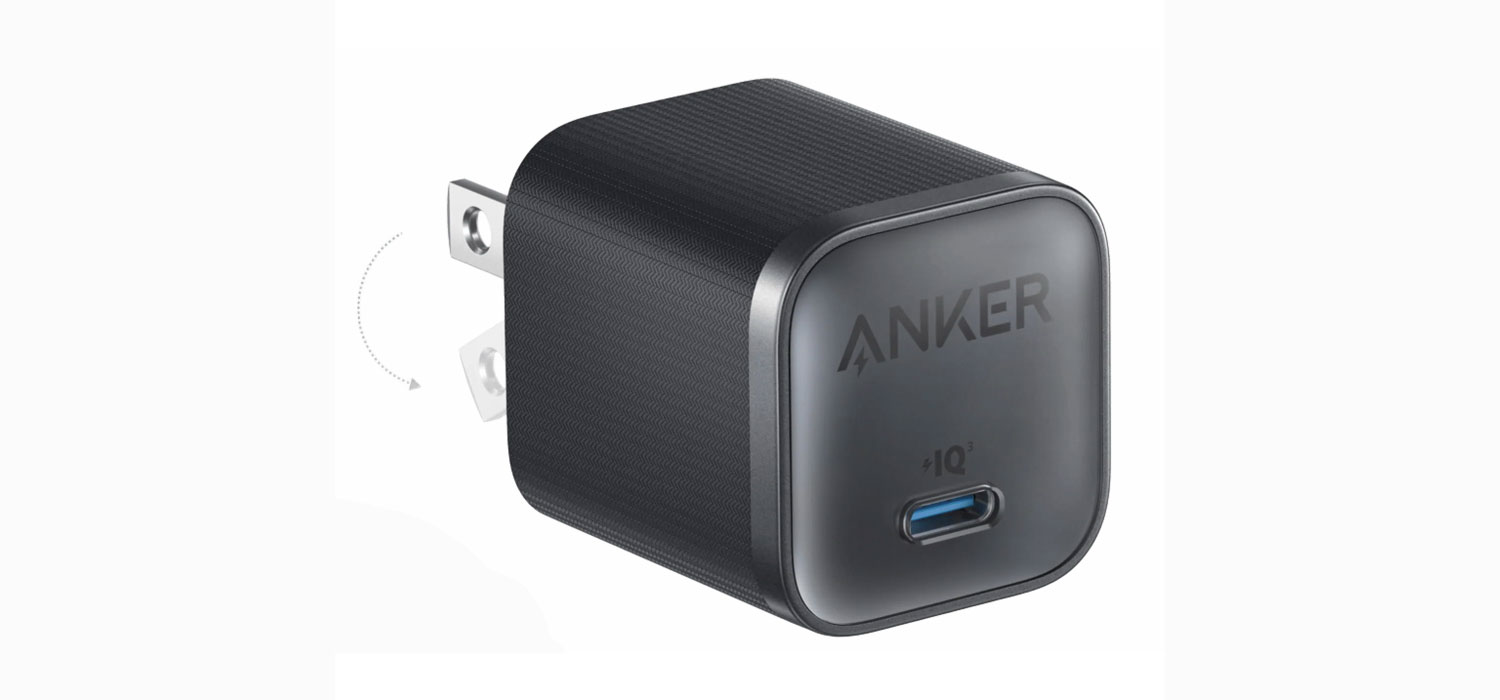
The single-portAnker Nano 45W Chargeris a much better option than the supplied charger for MacBook Neo owners as we believe that the in-the-box Apple 20W Power Adapter is underpowered for the laptop’s potential maximum needs. It is also tiny in size in comparison to the Apple-supplied charger (56% smaller in volume than Apple’s non-GaN 30W Power Adapter, and 20% smaller than the 35W charger), and significantly cheaper while being a safe, trusted brand.
Apple’s 20W USB-C Power Adapter is pretty small at 1.63 x 1.67 x 1.06 inches (42 x 43 x 27mm) and light at 2.06oz (59g). The more compact Anker Nano 45W is comparable but offers more than twice the power output.
Like the other Anker wall chargers, this model features foldable (U.S.) plug pins; the Apple 20W charger has less portable fixed prongs. The U.K. model is larger due to the ultra-safe Type G format but the plug pins are also foldable.
Because the Air can be fast-charged using a higher power adapter, the 65WRolling Square Supertiny(reviewed below) is a better option for power and around the same size but noticebaly higher in price. It’s not Apple’s prescribed 70W but we’d expect it to charge faster than at 45W. Or you should consider a multiport 65W charger, such as theUgreen Nexode 65W 3-Port Chargeror theAnker Prime 67W GaN Wall Charger—both of which are super-compact and will charge other devices at the same time as you are charging a laptop; see their reviews below.
Rolling Square Supertiny – Smallest single-port 65W wall charger
Pros
- Compact
- 65W
- Foldable plug (U.S.)
Cons
- Single port
- 65W max
- Dimensions:1.7 x 1.37 x 1.37 inches (44 x 35 x 35mm)
- Weight:2.47oz (70g)
- Ports:1x USB-C (65W PD 3.0)
- Total power output:65W
- Colors:Gray/Black
- Best for: MacBook Air; 13-inch MacBook Pro; 8-core 14-inch MacBook Pro
A single-port 65W charger is the most affordable fast-charger for MacBook Air owners: it won’t overcharge it and it will keep the battery topped up while you are working on your laptop.
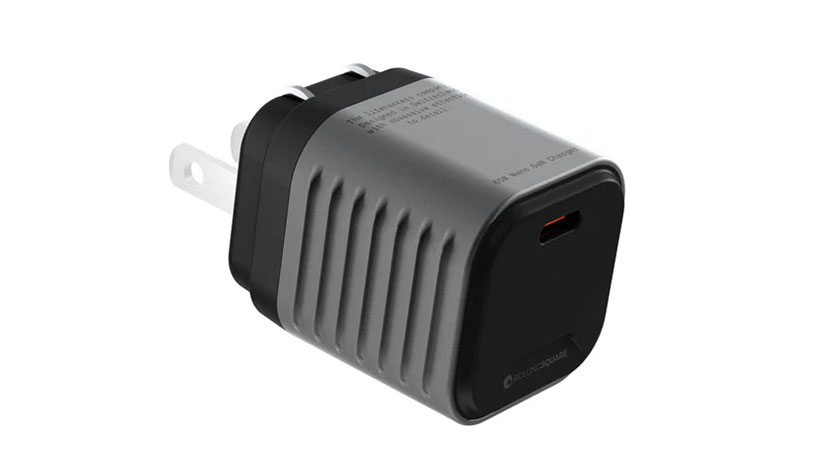
TheRolling Square Supertinyis well-named, much smaller than the Apple-supplied charger, especially with its foldable U.S. plug pins, and still cheaper—indeed, it’s almost as small as Anker’s 45W charger.
Owners of the older 13-inch MacBook Pro and even entry-level 14-inch Pro should consider this charger as the most affordable, premium compact alternative to Apple’s larger, more expensive 67W Power Adapter. To fast-charge a 14in MacBook Pro, you’ll need a 96W or 100W charger.
An alternative is the only very slightly less-tiny $29.99Anker 715 Nano II: a single-port 65W charger that measures 1.65 x 1.42 x 1.74 inches (42 x 36 x 44mm).
Anker Prime 67W GaN Wall Charger (3 Ports) – Best 3-port 65W USB-C wall charger

Pros
- 3 ports
- 67W
- Foldable plug (U.S. and U.K.)
- Smallest multiport charger
Cons
- Not for the top-end 14-inch MBP
- 67W max
- Dimensions: 1.6 x 1.5 x 1.9 inches (40 x 38 x 50mm)
- Weight:4.8oz (136g)
- Ports:2x USB-C (67W PD 3.0) and 1x USB-A (22.5W)
- Total power output:67W
- Colors:Black
- Best for:MacBook Air; 13-inch MacBook Pro; 8-core 14-inch MacBook Pro
It might be bigger and heavier than the 45W or 65W single-port Anker chargers, but theAnker Prime 67W Chargeroffers you much more with its three ports. Each of the two USB-C ports can supply up to 67W, although obviously not at the same time as 67W is the total possible output. And the USB-A port supports up to 22.5W. It is the smallest multiport USB-C wall charger, and it weighs just 136g, an indistinguishable difference to the equally compact 130g Ugreen Nexode 65W 3-Port USB-C Wall Charger.
Both the U.S. and the U.K. models feature a foldable plug. The U.K. model is a little larger due to the Type-G 3-pin plug but it’s the smallest and lightest multiport 67W charger available in the U.K.
Each port will adapt to your charging requirements. You can charge a laptop at up to 65W using just one of the USB-C ports or charge the laptop at 45W and another device at 20W via the other USB-C port. Another option is to power a laptop at 40W via USB-C, and an iPhone or Apple Watch at up to 22.5W using the USB-A port. Using all three ports, the first USB-C port can power the laptop at 40W, the second an iPhone at 12W, and the USB-A port could power up your AirPods at 12W.
It’s a great choice for fast-charging a MacBook Air or just as a multiport solution for the 13-inch and entry-level 14-inch MacBook Pro. As with theUgreen Nexode Pro 65W, reviewed below, it will power the top-end 14-inch MacBook Pro, but a 100W charger can fast-charge that model.
Read our full Anker Prime 67W GaN Wall Charger (3 Ports) review
Ugreen Nexode Pro 65W – Excellent 3-port 65W USB-C wall charger
Pros
- 3 ports
- 65W
- Foldable plug (U.S.)
- Lightest multiport charger
Cons
- Not for the top-end 14-inch MBP
- 65W max
- Dimensions: 2.1 x 1.6 x 1.3 inches (55 x 40 x 32mm)
- Weight:4.1oz (117g)
- Ports:2x USB-C (65W PD 3.0) and 1x USB-A (22.5W)
- Total power output:65W
- Colors:Gray
- Best for:MacBook Air; 13-inch MacBook Pro; 8-core 14-inch MacBook Pro
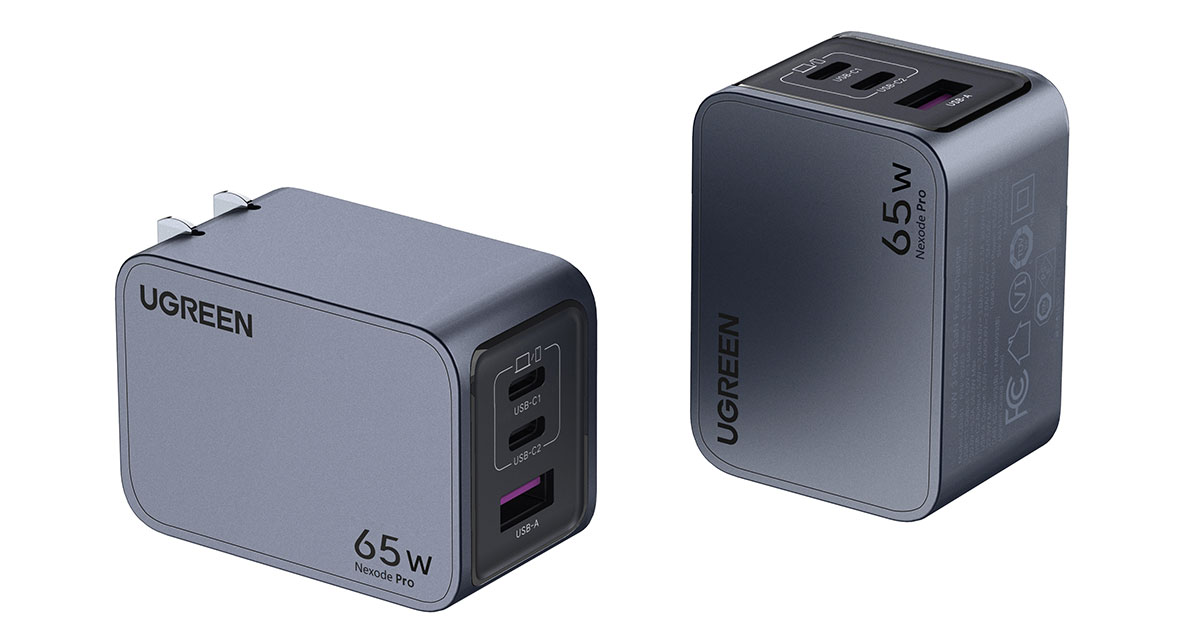
Ugreen’sNexode Pro 65W USB-C Wall Chargerhas three ports and is a great choice for a super-compact multiport 65W charger. When choosing 3-port 65W charger both this and the Anker Prime 67W Charger are great solutions. The Anker nipped slightly in front by being a little cheaper and a tiny bit more powerfu, but it’s as close a call as you’ll find.
The plug pins on the U.S. model fold in neatly to make it very pocketable for a three-port charger. Note that the pins on the U.K. version do not fold, so users from that country should consider the older but still great non-ProNexode 65W Charger(£34.99) that does have foldable U.K. plug pins or theAnker Prime 67W Chargerreviewed above.
It really is a tiny wonder. The Anker Prime 67W Wall Charger is just as compact, and both make fine mid-sized MacBook chargers.
The two USB-C ports each support 65W, and the lower USB-A port can charge at up to 22.5W. Other same-time charging options include 45W for a laptop and 20W for a second device, or 45W plus 15W shared between the other two outputs. And you can fast-charge an M2 MacBook Air when using just one of the 65W ports.
While it’s perfectly suitable for the 14in MacBook Pro, a 100W power adapter can fast-charge that model using either a USB-C charging cable or Apple’s own MagSafe 3 cable.
Ugreen Nexode Chargers With Retractable Cable – Most convenient multi-Port USB-C wall chargers
Pros
- 2 ports and built-in cable
- 65W or 100W
- Foldable plug (U.S.)
Cons
- Larger than chargers without cable
- Dimensions (65W): 2.1 x 2 x 2 inches (53 x 51 x 50mm)
- Dimensions (100W): 2.1 x 1.6 x 1.3 inches (69 x 57 x 50mm)
- Weight (65W):6.9oz (195g)
- Weight (100W):9.9oz (280g)
- Ports (65W):1x USB-C cable (60W PD 3.0), 1x USB-C (65W) and 1x USB-A (22.5W)
- Ports (100W):2x USB-C (100W PD 3.0), 1x USB-C (30W) and 1x USB-A (22.5W)
- Total power output:65W and 100W
- Colors:Gray
- Best for (65W):MacBook Air; 13-inch MacBook Pro
- Best for (100W):14-inch MacBook Pro
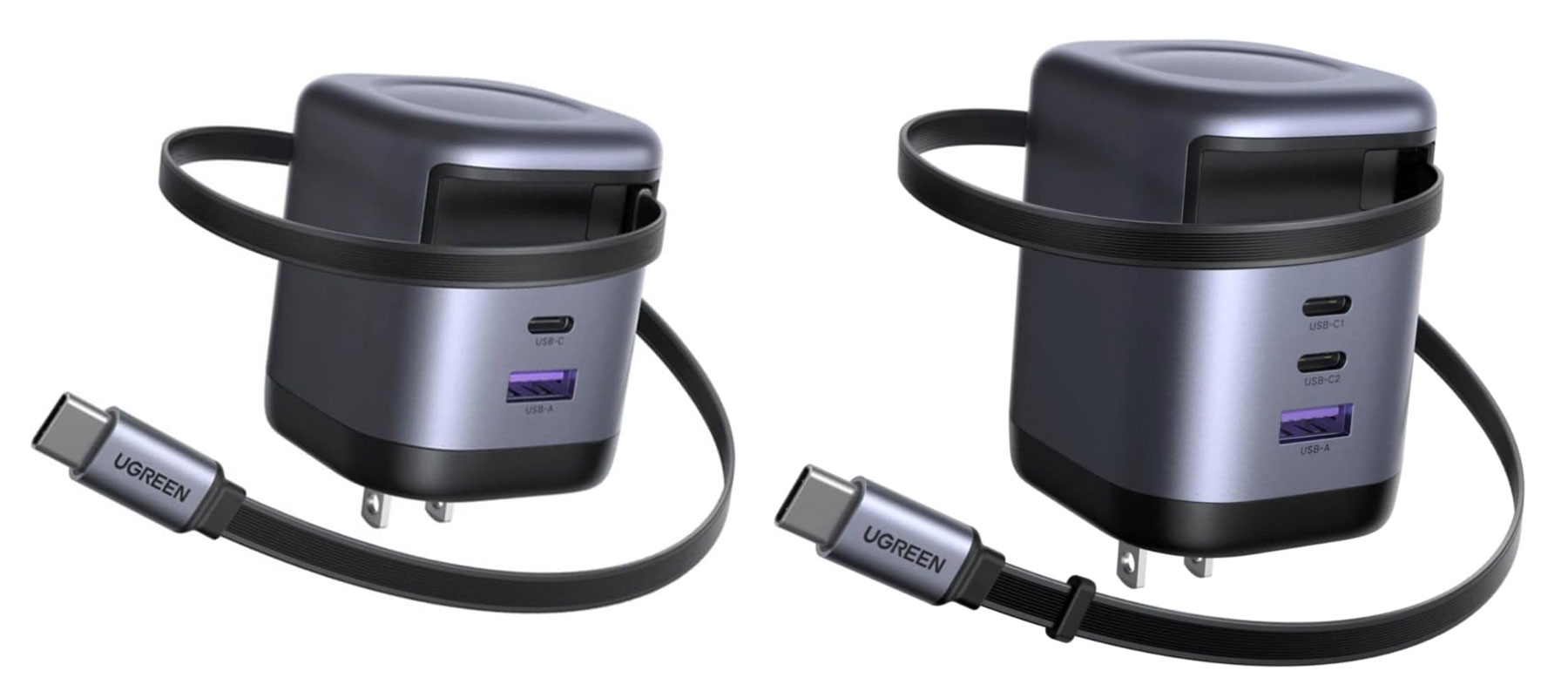
Tiny wall chargers are great for portability but you still have to remember to carry a cable around in your bag. Ugreen has a range of power chargers with built-in retractable USB-C cables that mean it doesn’t matter if you are caught without a separate cable—your device will still be charged if you pack one of these in your bag.
Due to the integrated cable these are a little larger and heavier than the chargers reviewed above but they are a lot more convenient.
The65W modelhas two ports alongside the 65W USB-C cable output, while the100W modelhas three. The first USB-C port on each equals the power output of the cable but remember that the maximum output is 65W or 100W; using the other ports at the same time will reduce their power somewhat. For example, on the 100W Nexode, if you use the first two USB-C ports the output will be 65W and 30W respectively.
Read our full Ugreen Nexode 65W Charger with Retractable USB-C Cable review
Satechi OntheGo 67W Slim Wall Charger – Slimmest multi-Port USB-C wall charger
Pros
- 2 ports
- 67W
- Super slim
- Foldable plug
- Color options
Cons
- U.S. plug only
- Dimensions: 3.2 x 2 x 0.7 inches (81 x 52 x 17mm)
- Weight:3.4oz (96g)
- Ports:1x USB-C (67W) and 1x USB-C (20W)
- Total power output:67W
- Colors:Desert Rose, Sand, Black
- Best for:MacBook Air; 13-inch MacBook Pro; 8-core 14-inch MacBook Pro
Why are most chargers dark gray or black? Does that fit in with any home decor except a goth/emo bedroom?
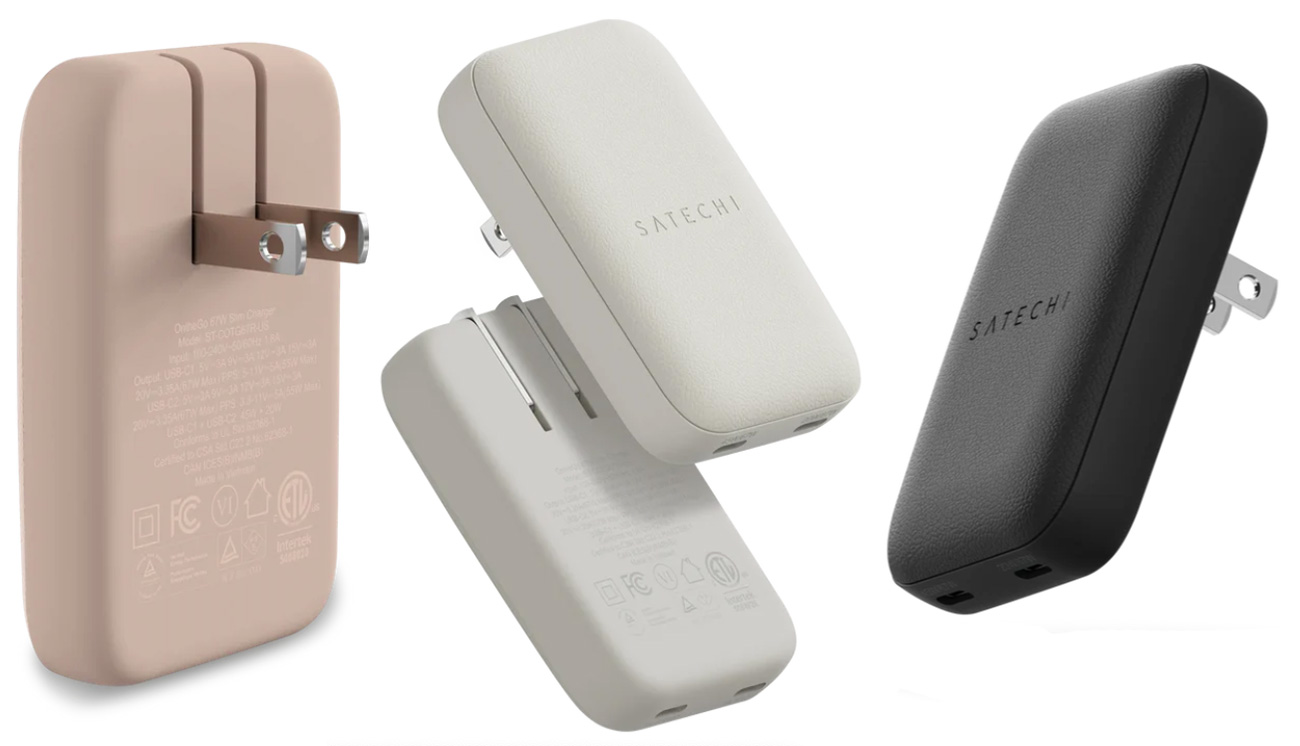
Satechi’s OnTheGo range of products (mice, keyboards, chargers) are offered in three colors: standard black if you really must, off-white Sand, and a lovely Desert Rose.
Not only does the compactSatechi OnTheGo Chargerlook nicer, it’s also super slim, measuring just 0.68 inches deep. This means you can slip it into tighter spaces, and being ultra lightweight also makes it easier to travel with for greater portability.
There are two ports; when used at the same time one can handle 45W PD and the other 20W.
Anker Prime 100W GaN Wall Charger (3 Ports) – Best 3-Port 100W USB-C wall charger
Pros
- 3 ports
- Compact
- 100W
- Foldable plug (U.S. and U.K.)
Cons
- Can’t fast-charge a 16in Pro
- Dimensions: 1.7 × 1.1 × 2.7 inches (44 x 29 x 68mm)
- Weight:6oz (170g)
- Ports:2x USB-C (100W PD 3.0) and 1x USB-A (22.5W)
- Total power output:100W
- Colors:Gray
- Best for: 14-inch MacBook Pro
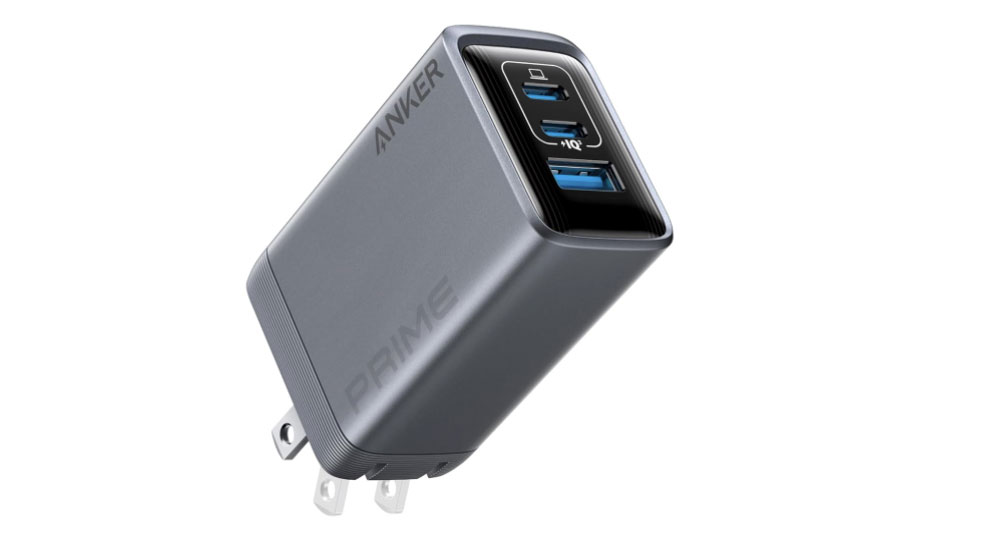
TheAnker Prime 100W GaN Wall Chargermight have one fewer port than the 4-portUgreen Nexode 100W Charger, reviewed below, but it’s notably lighter and smaller, and has recently been updated so that it is less likely to drop out of a wall socket if knocked.
Each of the two USB-C PD ports has a maximum of 100W so you can’t fast-charge a 16in MacBook Pro, although it will easily supply the required standard-speed charge to the top-end model.
The USB-A port can support up to 22.5W charging.
Read our full Anker Prime Charger 100W (3 Ports, GaN) review
Ugreen Nexode 100W – Best 4-port 100W USB-C wall charger
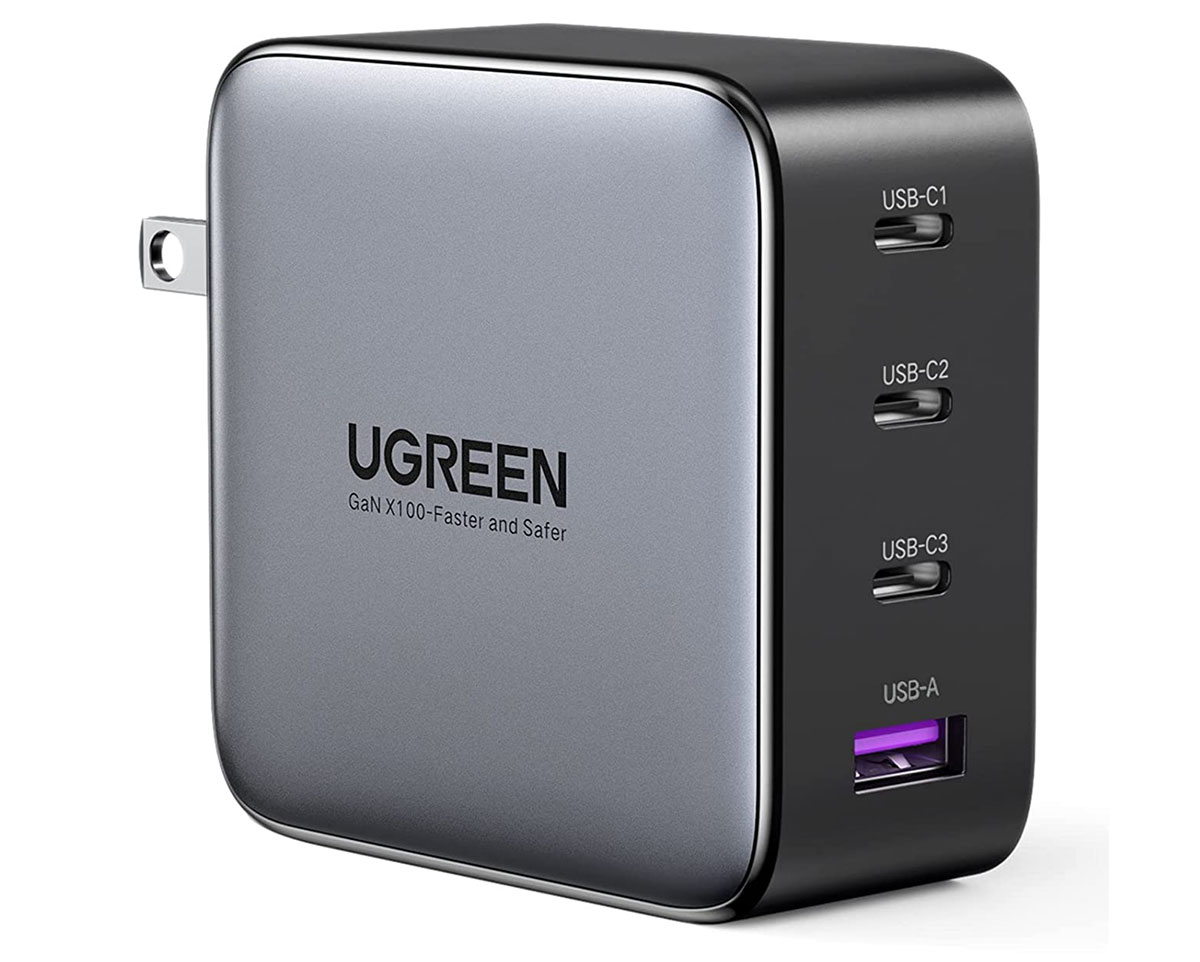
Pros
- 4 ports
- 100W
- Foldable plug (U.S.)
Cons
- Third USB-C port is 22.5W
- Bulkier than some
- Can’t fast-charge 16in MBP


- Dimensions: 1.3 x 2.72 x 2.72 inches (33 x 69 x 69mm)
- Weight:8.3oz (235g)
- Ports:2x USB-C (100W PD 3.0), 1x USB-C (22.5W) and 1x USB-A (22.5W)
- Total power output:100W
- Colors:Gray
- Best for: 14-inch MacBook Pro
Suitable for all MacBooks, the four-portUgreen Nexode 4-Port 100W Wall Charger, with a foldable U.S. plug, is an excellent choice of versatile power adapter. It may not be as pocketable as the mini chargers, but it is still very portable. It’s actually lighter than the company’s own 65W 4-port charger.
It has multiple charging options, such as 65W for laptop and 30W PD for light-laptop powering plus lower outputs for phones and other devices. Using three ports you could charge at 45W, 30W and 22.5W. Using all four, it can support laptop power delivery at 45W and 30W plus two devices each at 10.5W.
And it can fast-charge a MacBook Air or 14in MacBook Pro using one of the 100W PD ports.
The U.K. model is a rounder, more barrel-shaped design—without foldable prongs—but otherwise the same charger.
Ugreen
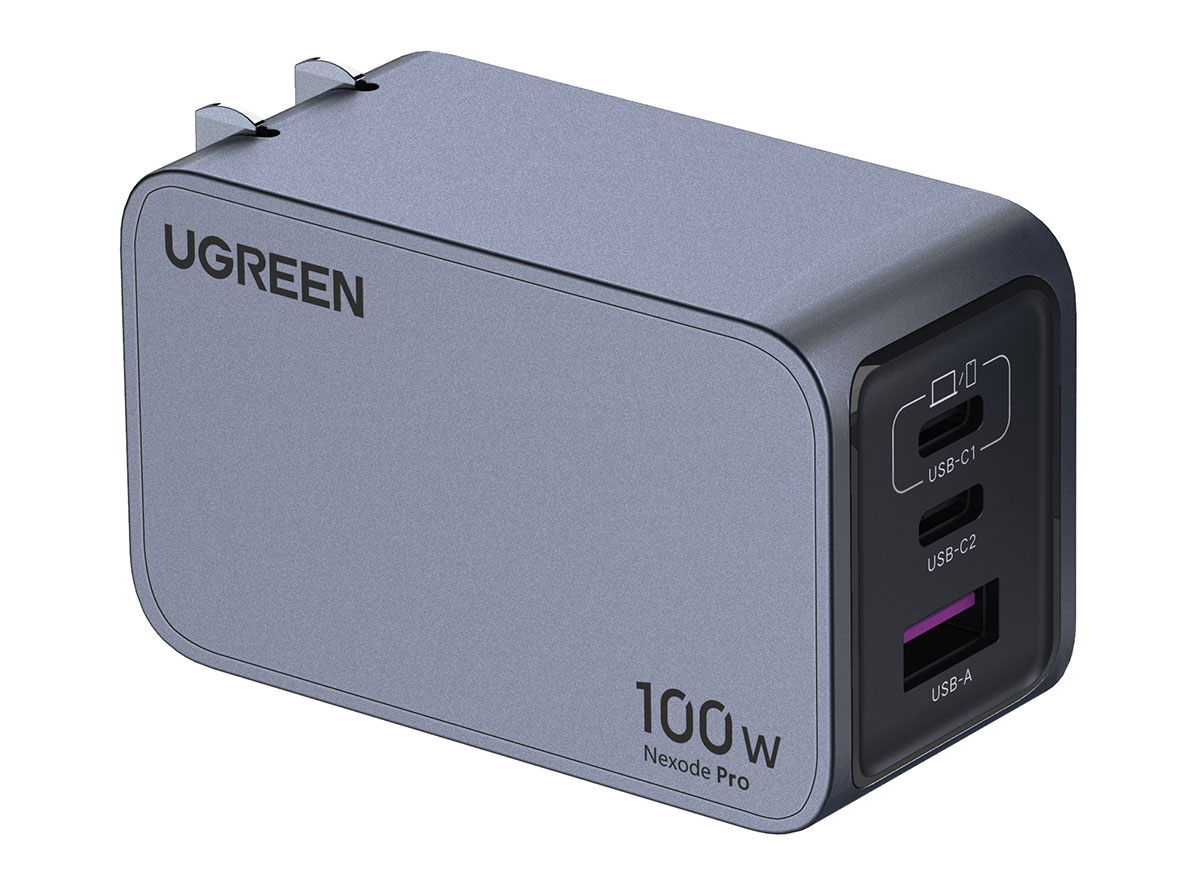
Ugreen has a newer, much smaller 100W charger, theNexode Pro 100W Charger(U.S. / U.K.), which has one fewer USB-C port. If three ports is all you need (and that might be true for many) then this is the better choice, but we like the fourth port option. Read our Ugreen Nexode Pro 100W Charger review.
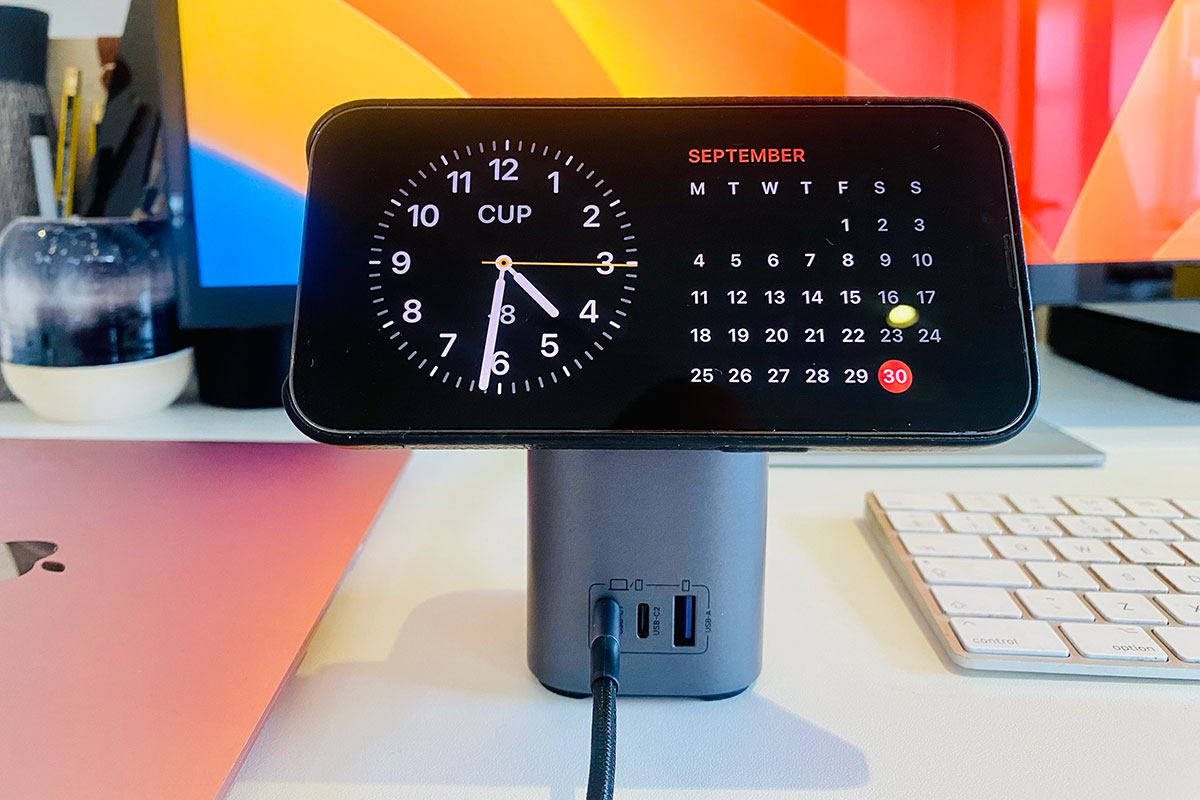
Ugreen Nexode 100W 2-in-1 GaN Desktop Charger – Best 2-in-1 100W USB-C desktop charger
Pros
- 3 ports plus wireless pad
- Compact 2-in-1 charger
- 100W
- 15W MagSafe adjustable iPhone stand
Cons
- Can’t fast-charge 16in MBP
- Expensive
- Dimensions: 6.49 x 4.9 x 4.2 inches (165 x 125 x 107mm)
- Weight:1.91lb (868g)
- Ports:2x USB-C (100W PD 3.0), 1x USB-A (22.5W), 15W MagSafe charging pad
- Total power output:100W
- Colors:Gray
- Best for: MacBook Air; 13-inch/14-inch MacBook Pro; iPhone 12/13/14/15/16
Moving away from the USB-C wall chargers for a moment, we are big fans of this compactUgreen Nexode 2-in-1desktop charger that, at 100W, is powerful enough to charge a 16-inch MacBook Pro and also offers an adjustable 15W MagSafe charging pad for MagSafe iPhones.
It has three powerful ports—two USB-C and one USB-A—plus the fully certified and maximum wireless 15W MagSafe pad that you can angle and place the iPhone on in either landscape or portrait modes.
Using all four charging options you could power at 15W (iPhone), 45W MacBook via one of the USB-C ports, 25W with the other, and the remaining 10W via USB-A.
If you want to charge your iPhone faster than even top-speed 15W wireless via the pad, you can fast-cable charge your phone using either of the USB-C ports.
As a desktop charger it comes with a 2m power lead to connect to your wall socket.
Read our full Ugreen Nexode 100W Chargeur USB-C GaN avec MagSafe 15W review