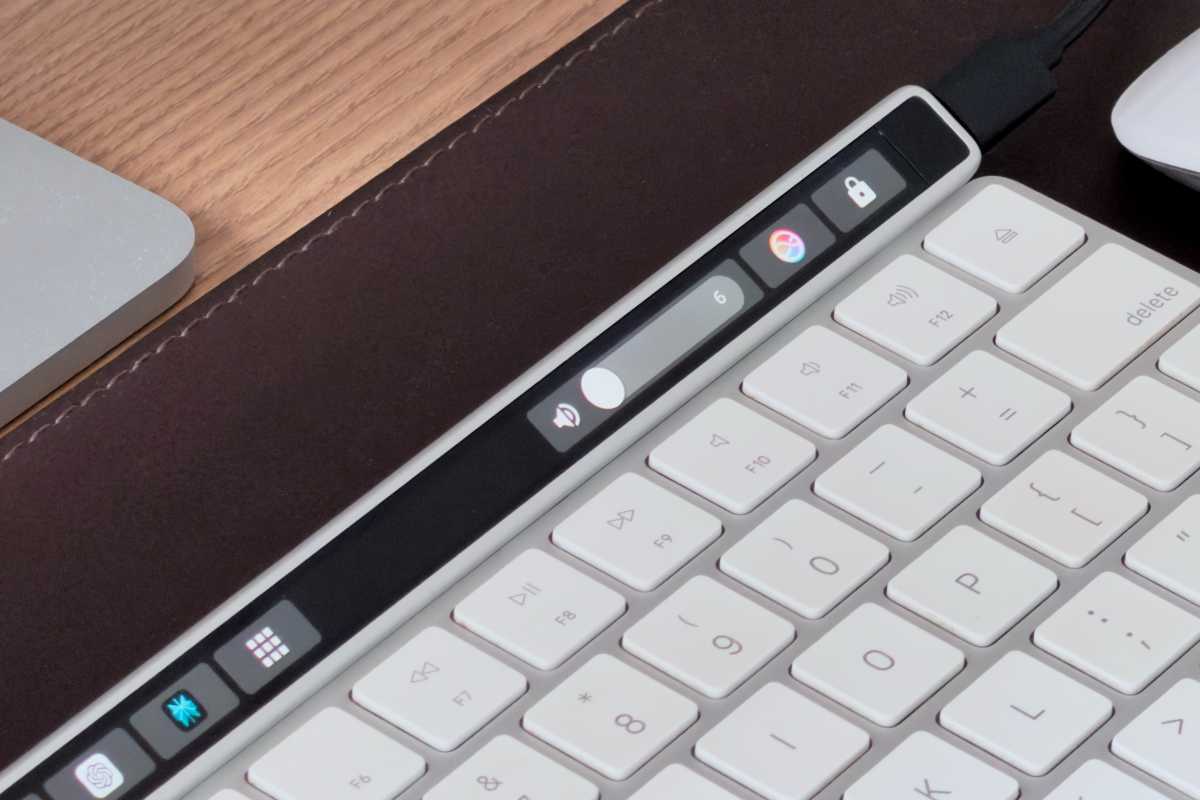
Apple’s decision to retire the Touch Bar left a dedicated group of users feeling a distinct sense of loss. It was a divisive feature, certainly, but for many, it represented a glimpse into the future of interaction with their machines – a future that abruptly ended. Now, that future has been resurrected, thanks to a remarkable accessory called Flexbar.
The original Touch Bar sparked debate from its 2016 debut. Replacing physical keys with a virtual control strip was a bold move, and the lack of tactile feedback proved frustrating for some. Yet, it also offered innovative possibilities: dynamic controls, quick access to emojis, and customizable app-specific buttons. Apple ultimately reverted to physical function keys, but the core ideas behind the Touch Bar lingered in the minds of its fans.
Flexbar isn’t about replicating the past exactly; it’s about reimagining it. This external Touch Bar connects via USB-C, offering a crucial advantage over its built-in predecessor – compatibility with any keyboard. You retain the familiar feel of physical keys while adding a layer of dynamic control. The included magnetic stand positions Flexbar at a comfortable angle, seamlessly integrating into your existing setup.
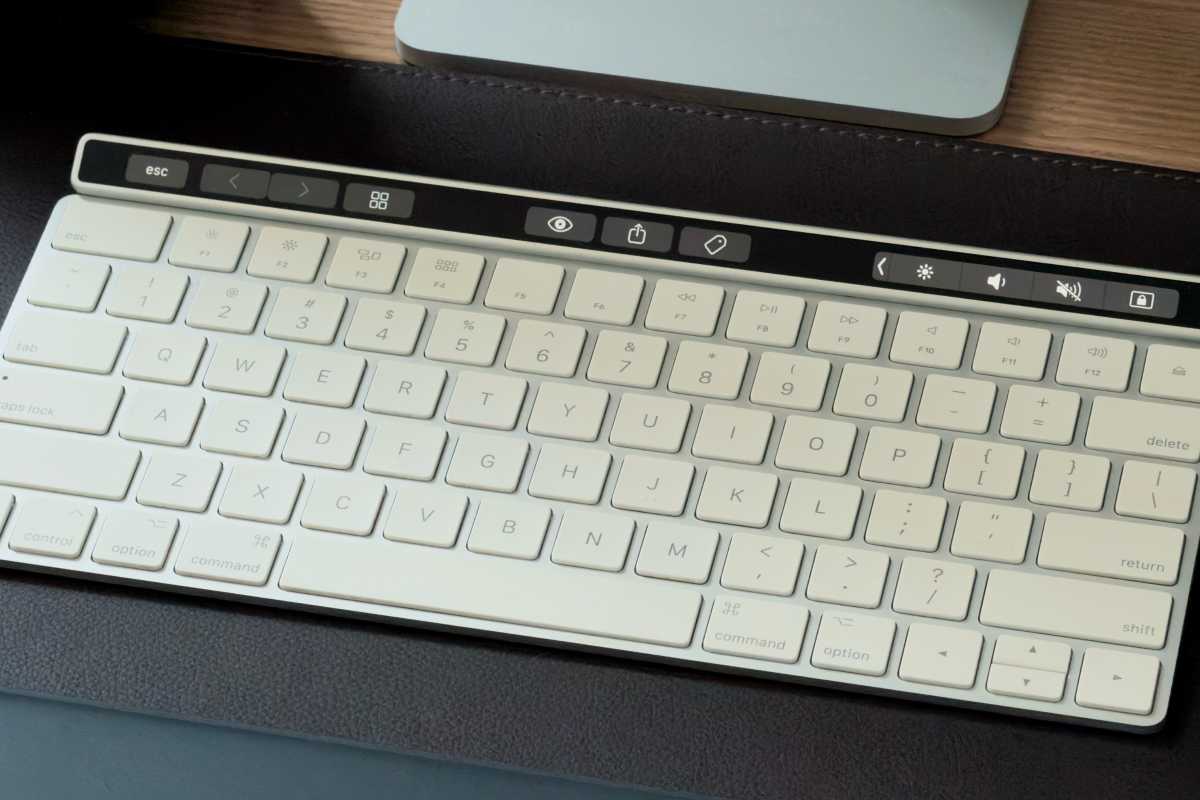
The device itself boasts a vibrant, high-resolution AMOLED display, mirroring the quality of the original Touch Bar’s panel. Its size is nearly identical, creating a cohesive look when paired with Apple’s Magic Keyboard. The aluminum finish adds a touch of premium quality, echoing Apple’s design aesthetic.
Customization is at the heart of the Flexbar experience. The accompanying Flex Designer software allows for deep personalization, letting you assign shortcuts to launch applications, execute commands, and even control Terminal functions. A growing library of official and third-party widgets provides real-time system monitoring and integration with professional software like Photoshop and Final Cut Pro.
But the true magic of Flexbar lies in its ability to resurrect the *actual* Touch Bar experience. A clever plugin, the Touch Bar Emulator, unlocks the hidden Touch Bar software still present within macOS, even on machines that never shipped with one. Suddenly, familiar controls – volume adjustments, emoji selection, timeline scrubbing in Final Cut – reappear on the Flexbar display.

The emulation isn’t flawless. Occasional unresponsiveness requires restarting the plugin, and the 30fps refresh rate doesn’t quite match the smoothness of the original. However, the ability to access native Touch Bar functionality within third-party applications is a game-changer. It’s a testament to the ingenuity of the developers who brought this feature to life.
While Flex Designer offers a reliable and customizable alternative, the Touch Bar Emulator is what truly elevates Flexbar from a clever accessory to a compelling recreation of a beloved feature. Future iterations with a higher refresh rate display and wireless connectivity would undoubtedly enhance the experience, but the current version is already remarkably impressive.
For those who mourned the loss of the Touch Bar, Flexbar offers a satisfying return. It’s a fun, functional, and surprisingly versatile addition to any Mac (or even Windows or Linux) setup. It’s more than just nostalgia; it’s a powerful tool that expands your control and streamlines your workflow.